Lootbound map guide: find encounters and compare the next stop
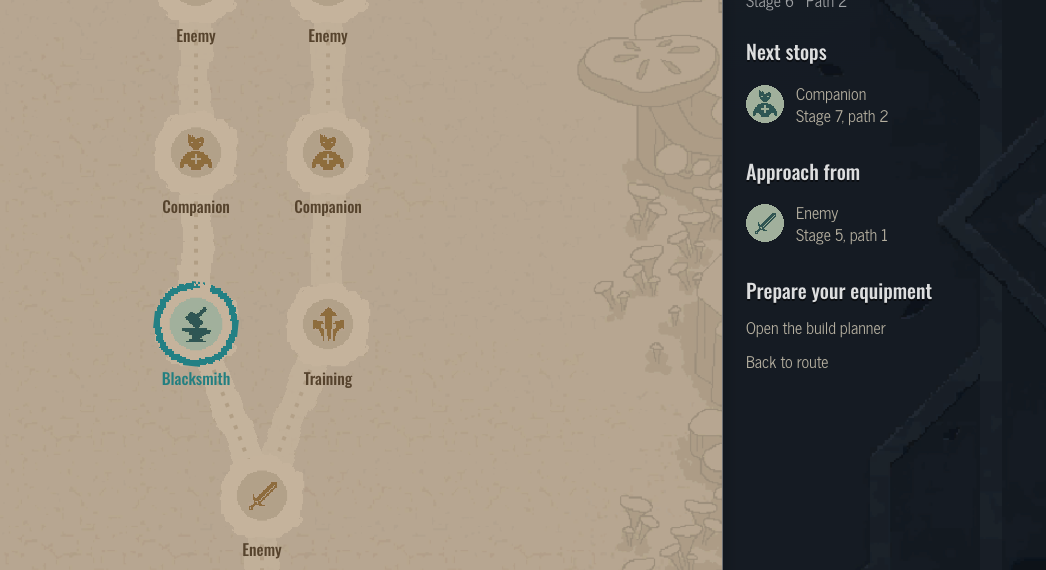
Open a specific stop to see its encounter and connected destinations. The Wildlands route-one fork leads to Training or Blacksmith stops. Compare those connected choices, not every nearby icon on the map. This atlas is a route reference; it does not load your current run.
Try the example
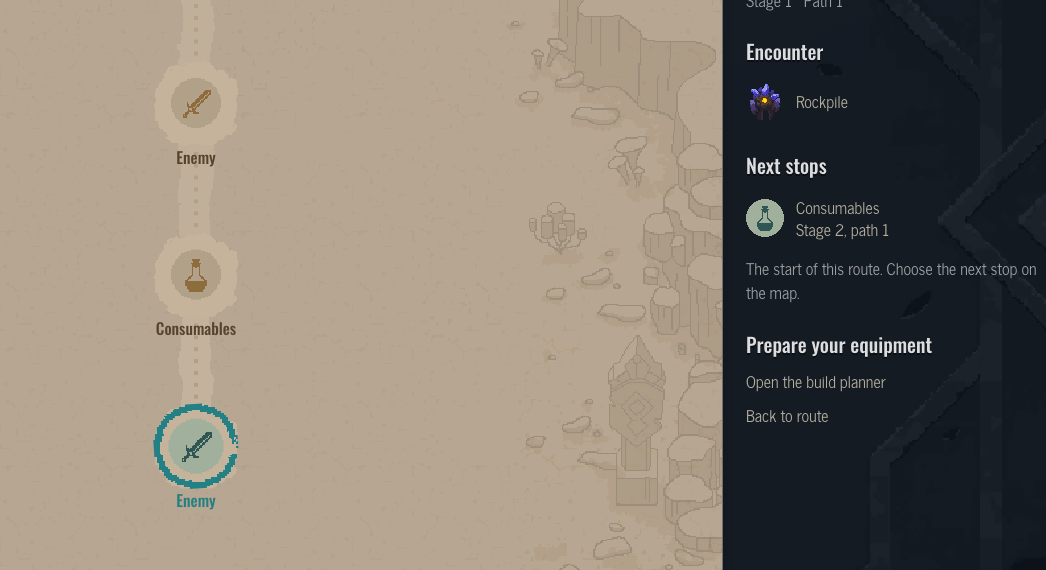
Enemy, stage 1
Next stops
Open this stopWhere can I find a particular enemy?
Start from the bestiary, open the enemy you are looking for, and use its Where to find section. Each listed location opens a specific route stop rather than dropping you at an unrelated map overview. The encounter panel names the enemies assigned to that stop, including repeated enemies when a group contains more than one.
The first encounter on Wildlands route one provides a simple starting example. Select the stop and follow its enemy link to the corresponding profile. You can inspect the enemy's abilities there, then return to the same location page. A location appearing in the atlas does not mean that every run will use that exact layout.
Which stop can I actually take next?
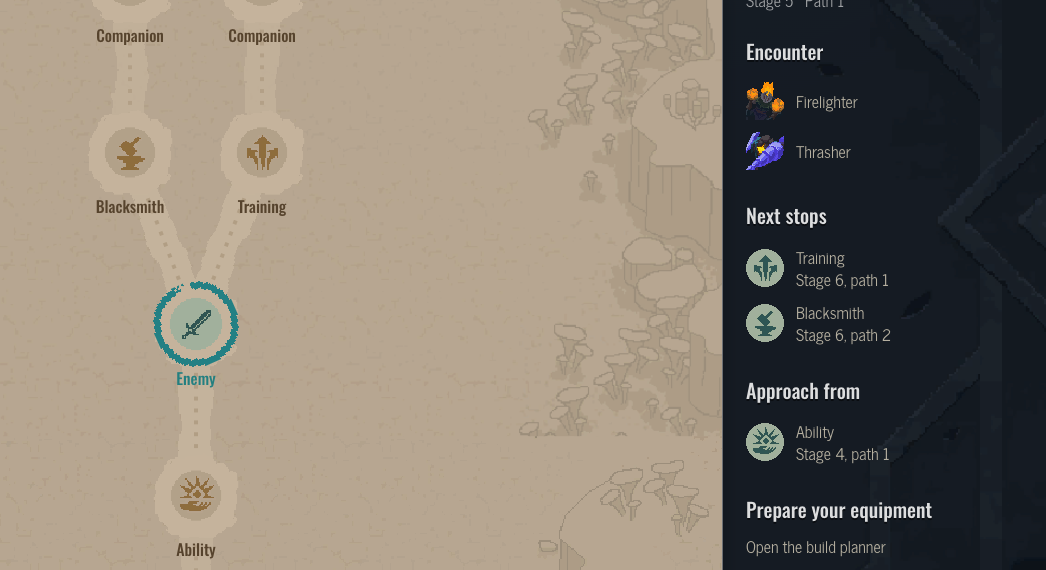
Use the Next stops list and the drawn connections. At the stage-five encounter, the two listed destinations are Training and Blacksmith. Their proximity on the picture alone is not the rule; the connection from the selected stop is what makes them alternatives on this route.
Open one of those destinations to compare what follows it. The Approach from list provides the reverse connection, which is useful when retracing the route. A different branch can lead to a different following encounter even when its first stop has the same type. Check the exact route and stage instead of assuming that every Blacksmith icon represents the same position.
How do I return to the exact location?
Share the stop's page link, not just the regional overview. A Blacksmith stop link preserves the region, route and stop. The map's language picker keeps that location identity when switching between the available languages. Refreshing the link opens the same stop and its nearby connections.
Use enemy and equipment links to prepare for a known encounter, but keep the atlas's role clear. It compares recorded route layouts; it does not import a save or show your live position, and no seed reproduces a run's route. Your current run is the authority for the route you are actually playing. The reference helps explain the choices and encounters, not replace that current-run map.